


Help & support

Can’t find your answer below? Write to contact@flawinteractive.com with your phone model, the app version (shown in Settings) and a short description of the problem. We usually answer within a few days.
How do I play?
Drag one of the three shapes from the dock onto the 10×10 grid — tap a shape first to rotate it. Fill a row or a column with a single colour to clear it. A one-colour 3×3 square earns a bonus, and a 4×4 hits the jackpot. The game ends when none of your shapes fits.
Each mode explains its rules before your first game. Tap the book icon during a game to see them again.
What is Adventure mode?
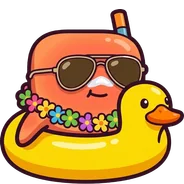
Adventure pits you against five bosses, one after another, starting with The Beach Swimmer. Every point you score damages the boss — empty its life bar to win and unlock the next one. Bosses strike back by messing with your grid, and get angrier as their life runs low. Adventure arrives in the next update.
How do jokers work?
Each joker charges up on its own as you score — the lighter ones faster. Tap a charged joker to use it. You can hold up to two charges per joker (five with Premium), and challenges and daily streaks give you extra charges.
Each mode has its own set: Refresh, Hammer and Last Chance in Classic and Gravity; Defuse, Freeze and Last Chance in Time Bomb; Refresh, Hammer, Shield and Last Chance in Adventure.
Why are there ads?
Pixel Party is free, and ads help pay for it. You may see a banner, a full-screen ad from time to time, and optional videos that give you a second chance after a game over or a fresh set of shapes. Premium removes them all.
What is Premium?
Premium is an optional subscription, for one month or three months. It gives you no ads at all, free second chances without watching a video, five charges per joker instead of two, and a charge of each joker at the start of every game. The price is shown in the app before you pay. Premium arrives in the next update.
How do I cancel Premium or get a refund?
Premium renews automatically until you cancel. You can cancel at any time in your store account: on Android, open the Google Play app → your profile picture → Payments & subscriptions → Subscriptions; on iPhone, open Settings → your name → Subscriptions. Premium stays active until the end of the period you’ve paid for.
Payments and refunds are handled by Google Play and the App Store, under their own refund policies, so refund requests go to them.
I bought “Remove ads” in an earlier version.
It still counts: the game treats it as Premium, with no subscription needed. If ads come back after reinstalling the game or changing phone, open Settings and tap Restore Purchases while signed in to the same Google account.
I paid, but I still see ads.
Open Settings and tap Restore Purchases. Make sure you’re signed in with the same Google account (or Apple ID) you paid with. Still stuck? Write to us with the order number from your store receipt.
How do I change my ad privacy choices?
In the European Economic Area, the UK and Switzerland, the game asks you the first time you open it whether you agree to personalised ads. You can change your answer at any time in Settings → Privacy Settings. On iPhone, you can also allow or refuse tracking in Settings → Privacy & Security → Tracking. The details are in the privacy policy.
How do I turn reminders off?
If you allow notifications, the game may send you a friendly reminder when you haven’t played for a few days. These reminders are scheduled on your phone — nothing is sent to a server. To turn them off: on Android, Settings → Apps → Pixel Party → Notifications; on iPhone, Settings → Notifications → Pixel Party.
How do I change the language?
Pixel Party speaks English, French, Spanish, Portuguese, German, Chinese, Japanese and Korean. On Android, pick one in Settings → Language. On iPhone, the game follows your phone’s language.
Will I lose my progress if I change phone?
There’s no account, so your progress, best scores and settings are saved on your phone only. Uninstalling the game or clearing its data deletes them, and they don’t move to a new phone. Your achievements and leaderboard scores are kept by Google Play Games (or Game Center on iPhone).
Where are the achievements and leaderboards?
Sign in to Google Play Games (Settings → Google Play Games) to unlock the 23 challenges and join the three leaderboards: Classic, Gravity and Time Bomb. On iPhone, the game uses Game Center.
Is there a colour-blind mode?
Yes. Turn on Colorblind Mode in Settings: shapes appear on the blocks so you can tell the colours apart.
Which phones are supported?
Android phones with Android 7.0 or later, on Google Play. The iPhone version is coming soon.
I found a bug.
Thank you! Write to contact@flawinteractive.com with your phone model, the app version (shown in Settings) and what happened. A screenshot or a short screen recording helps a lot.